

Carousel Builder
Build multi-slide carousel posts visually with drag-and-drop ease.
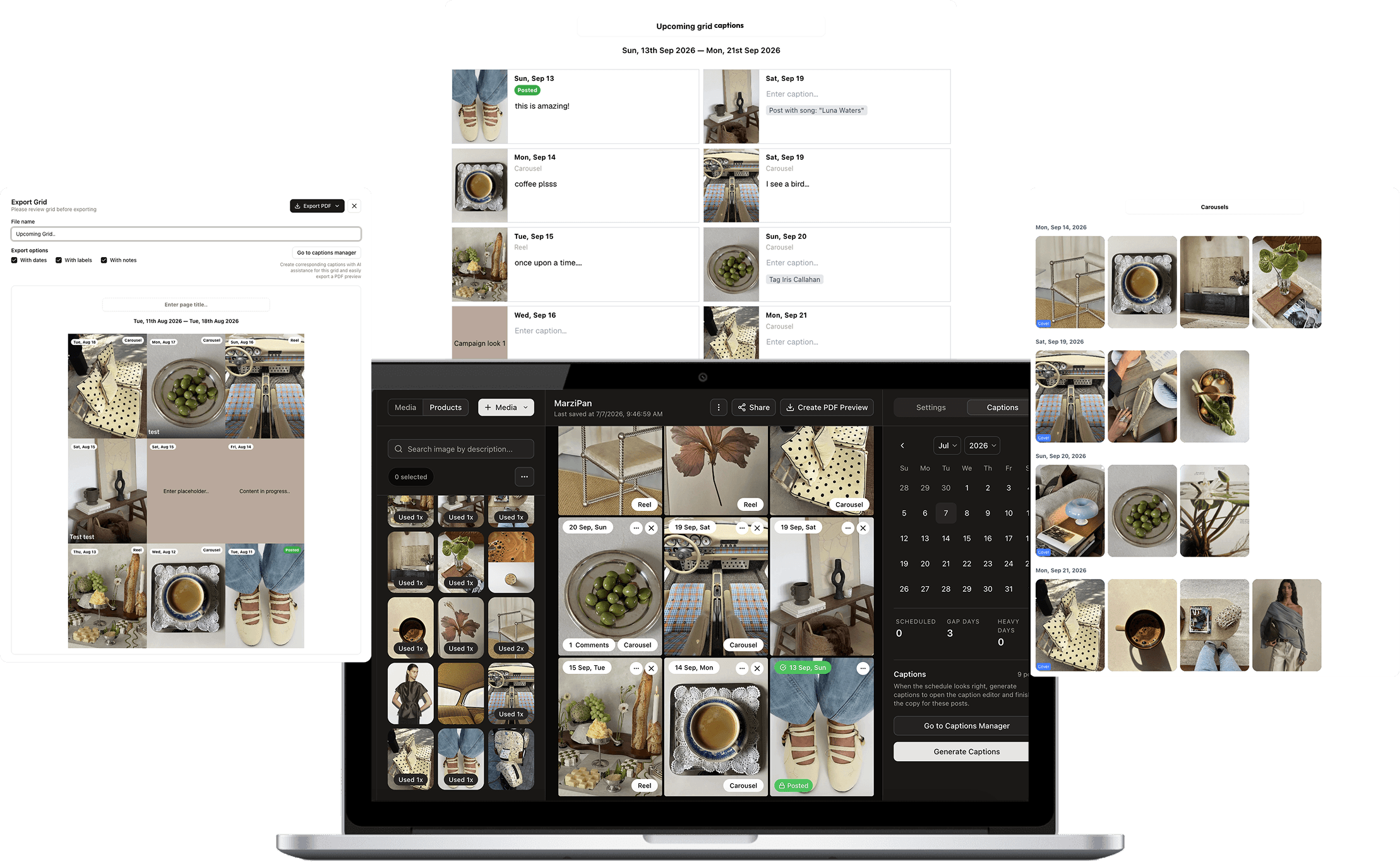
All-in-one content planning workflow
Plan the grid, write captions, schedule posts, and publish from one visual workspace.
01
Organize assets
02
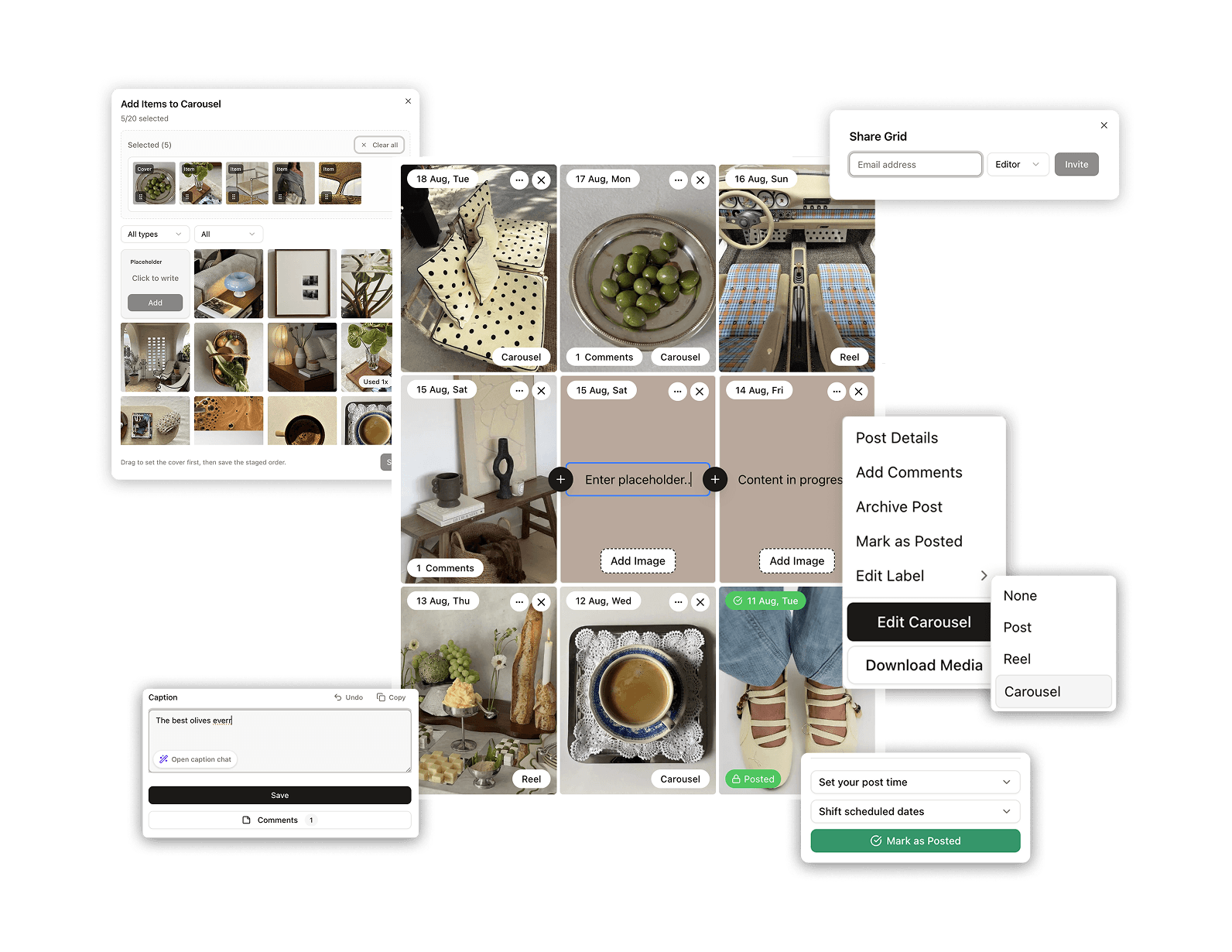
Build your grid
03
Streamline captions
04
Schedule and publish

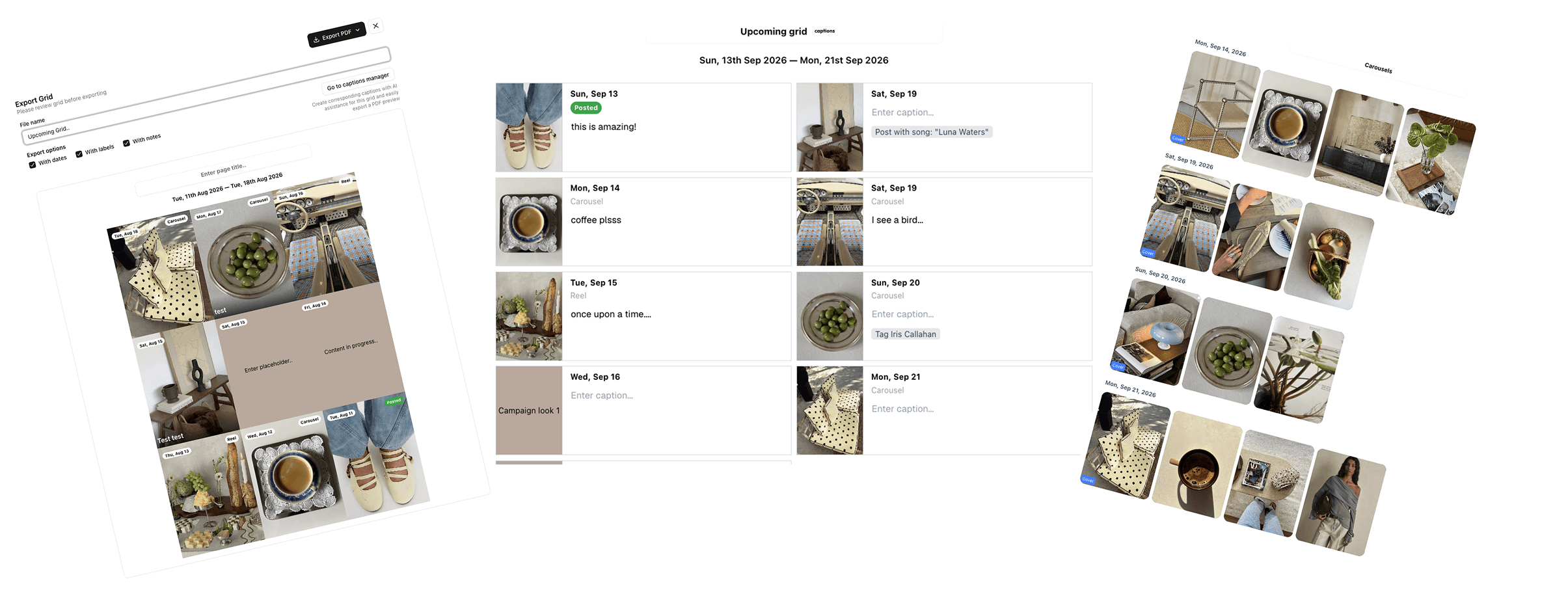
Generate a monthly content preview PDF in one click. Give your clients a professional look at their upcoming content.
Build multi-slide carousel posts visually with drag-and-drop ease.
One media folder for your whole team, labeled with used and unused content
Easily schedule posts and reset all dates on your feed all at once
Found a winning plan? Duplicate successful grids to reuse strategies.
Collaborate with your team using contextual comments and labels.
Reserve future spots in your grid even before you have the media.
Join 2,000+ creators and agencies who have streamlined their visual strategy.
Everything you need to know about getting started with Bejoss.
Bejoss currently supports Instagram and TikTok for scheduled publishing.
Yes. Invite teammates into shared workspaces so they can organize media, leave comments, edit captions, review grids, and prepare content together.
Yes. Bejoss can connect product context from Shopify so captions, post planning, and product-aware creative work stay aligned with your catalog.
Yes. You can schedule supported posts ahead of time and publish them on schedule after connecting the relevant Instagram or TikTok accounts.
Yes. Export polished previews and review-ready PDFs so clients can see upcoming posts, captions, and layouts before anything goes live.
Yes. You can start with a free trial to build a grid, organize media, test captions, and see how the workflow fits your team.